LogoPDFuck
LogoPDFuck
Themes
2025/01/15

Themes

Add Theme to Fumadocs UI

Usage

Note only Tailwind CSS v4 is supported:

@import 'tailwindcss'; @import 'fumadocs-ui/css/neutral.css'; @import 'fumadocs-ui/css/preset.css'; /* path of `fumadocs-ui` relative to the CSS file */ @source '../node_modules/fumadocs-ui/dist/**/*.js';

Preflight Changes

By using the Tailwind CSS plugin, or the pre-built stylesheet, your default border, text and background colors will be changed.

Light/Dark Modes

Fumadocs supports light/dark modes with

next-themes
, it is included in Root Provider.

See Root Provider to learn more.

RTL Layout

RTL (Right-to-left) layout is supported.

To enable RTL, set the

dir
prop to
rtl
in body and root provider (required for Radix UI).

import { RootProvider } from 'fumadocs-ui/provider'; import type { ReactNode } from 'react'; export default function RootLayout({ children }: { children: ReactNode }) { return ( <html lang="en" suppressHydrationWarning> <body dir="rtl"> <RootProvider dir="rtl">{children}</RootProvider> </body> </html> ); }

Prefix

Fumadocs UI has its own colors, animations, and utilities. By default, it adds a

fd-
prefix to avoid conflicts with Shadcn UI or your own CSS variables.

You can use them without the prefix by adding some aliases:

@theme { --color-primary: var(--color-fd-primary); }

You can use it with CSS media queries for responsive design.

Layout Width

Customise the max width of docs layout with CSS Variables.

:root { --fd-layout-width: 1400px; }

Tailwind CSS Preset

The Tailwind CSS preset introduces new colors and extra utilities including

fd-steps
.

Themes

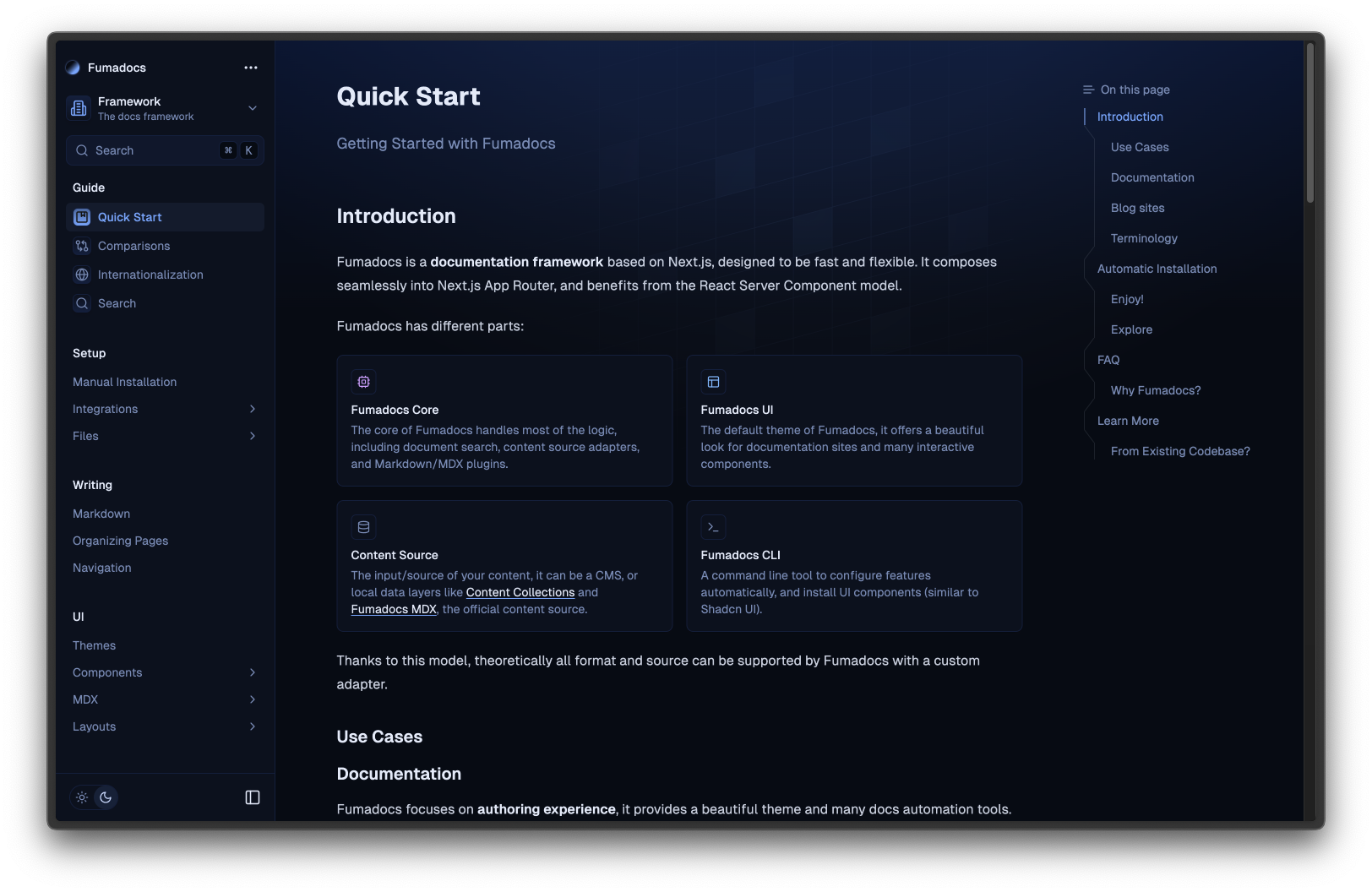
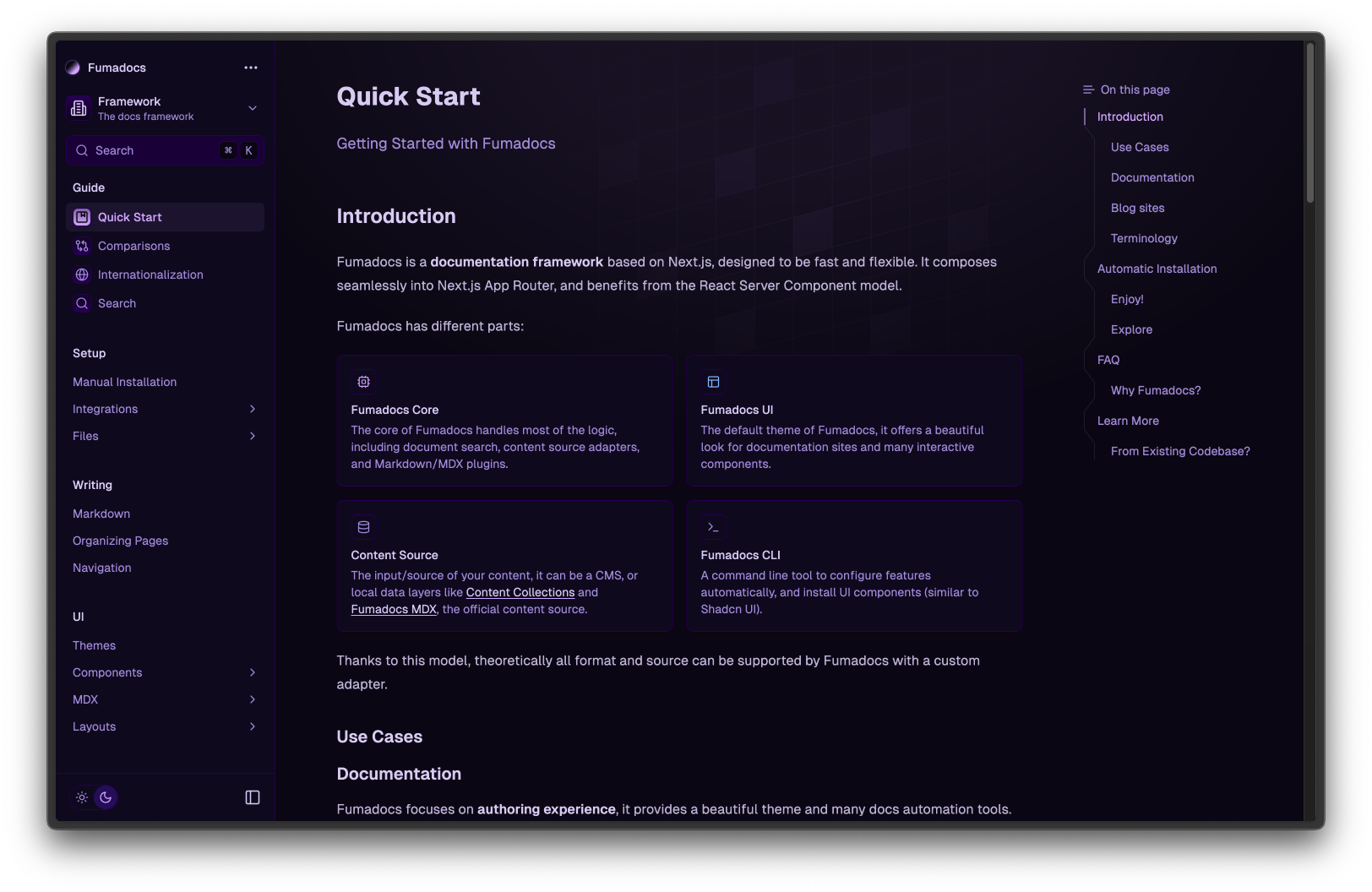
It comes with many themes out-of-the-box, you can pick one you prefer.
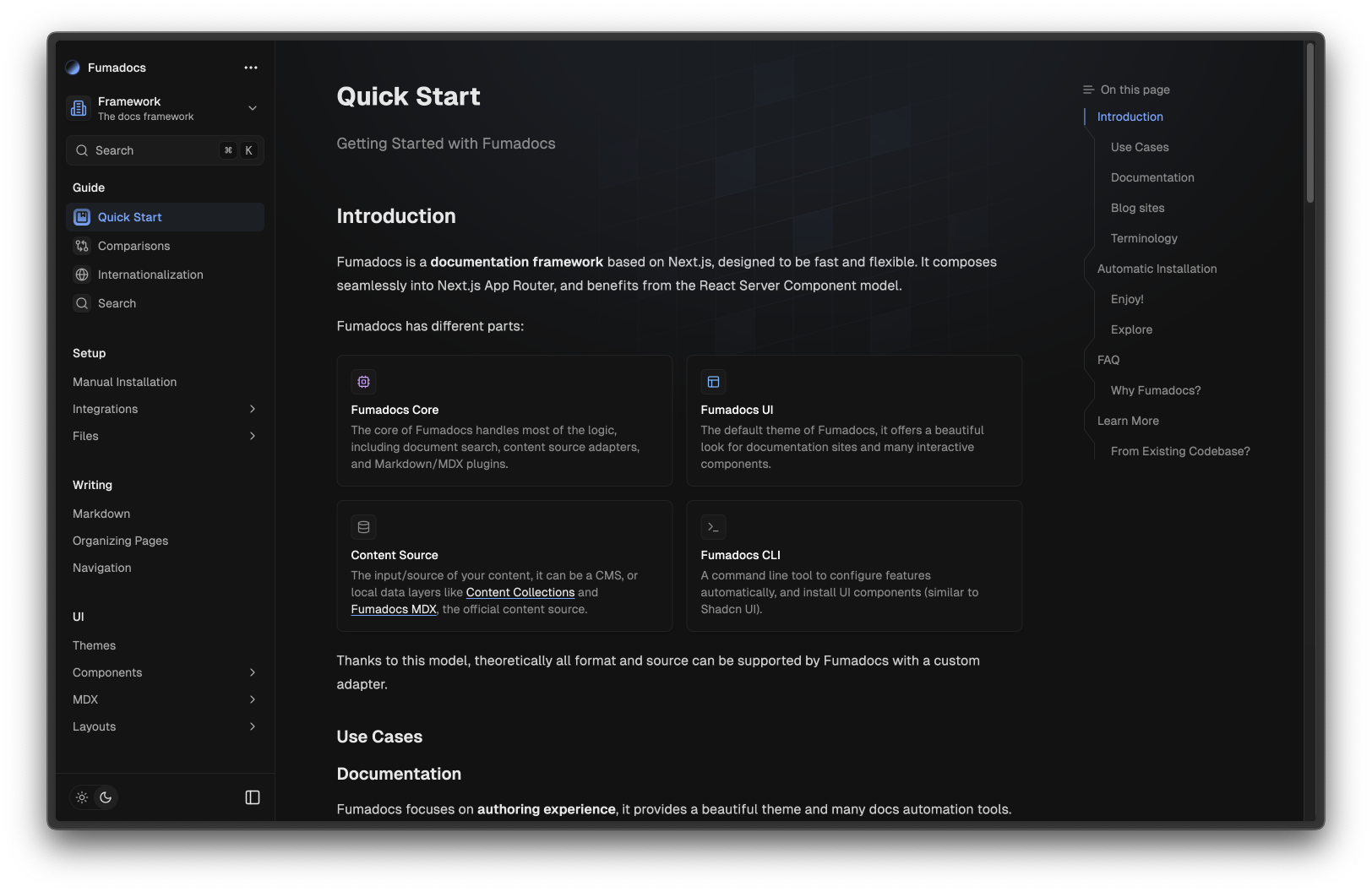
@import 'fumadocs-ui/css/<theme>.css'; /* Example */ @import 'fumadocs-ui/css/black.css';

Neutral

Black

Vitepress

Dusk

Catppuccin

Ocean

Purple

Colors

The design system was inspired by Shadcn UI, you can easily customize the colors using CSS variables.

:root { --color-fd-background: hsl(0, 0%, 100%); } .dark { --color-fd-background: hsl(0, 0%, 0%); }

Typography

We have a built-in plugin forked from Tailwind CSS Typography.

The plugin adds a

prose
class and variants to customise it.

<div className="prose"> <h1>Good Heading</h1> </div>

The plugin works with and only with Fumadocs UI's MDX components, it may conflict with

@tailwindcss/typography
. If you need to use
@tailwindcss/typography
over the default plugin, set a class name option to avoid conflicts.

Alle Beiträge

Autor

avatar for Mkdirs
Mkdirs

Kategorien

  • News
  • Product
UsagePreflight ChangesLight/Dark ModesRTL LayoutPrefixLayout WidthTailwind CSS PresetThemesColorsTypography

Weitere Beiträge

Comparisons
CompanyNews

Comparisons

How is Fumadocs different from other existing frameworks?

avatar for Fox
Fox
2025/03/22
Search
CompanyNews

Search

Implement document search in your docs

avatar for MkSaaS
MkSaaS
2025/02/15
Quick Start
CompanyNews

Quick Start

Getting Started with Fumadocs

avatar for MkSaaS
MkSaaS
2025/03/28
LogoPDFuck

Kostenlose browserbasierte PDF-Tools - 100% privat und sicher

Organisieren
  • PDFs zusammenführen
  • PDF aufteilen
  • PDF drehen
  • Seiten neu ordnen
  • Seiten extrahieren
  • Seiten löschen
  • PDF umkehren
  • Seiten duplizieren
Konvertieren
  • PDF zu PNG + Long Image
  • PDF zu JPG + Long Image
  • PDF zu WebP + Long Image
  • PNG zu PDF
  • JPG zu PDF
  • WebP zu PDF
  • PDF zu Text
  • BMP zu PDF
  • GIF zu PDF
  • SVG zu PDF
  • PDF zu Word
  • PDF zu Excel
  • PDF zu PPTX
  • Word zu PDF
  • Excel zu PDF
  • PPTX zu PDF
Bearbeiten
  • PDF komprimieren
  • Wasserzeichen hinzufügen
  • Seitenzahlen hinzufügen
  • Metadaten bearbeiten
  • PDF zuschneiden
  • PDF flattenen
  • Kopf- und Fußzeile
  • PDF-Größe ändern
Security
  • PDF signieren
  • PDF entsperren
  • PDF schützen
  • PDF vergleichen
  • PDF schwärzen
  • PDF-OCR
  • PDF bereinigen
  • PDF überprüfen
© 2026 PDFuck All Rights Reserved.